RSS, Torznab and Newznab feeds
Some indexers does not have an IRC announce channel. Luckily, most of them have RSS support. You will treat Torznab/Newznab and RSS feeds as regular indexers when setting up your filters.
autobrr polls the feed on an interval, remembers what it has already seen, and runs only the new items through your filters, exactly like an IRC announce:
Torznab / Newznab
Torznab and Newznab is essentially like browsing the torrents page, but automated and unified.
Prowlarr and Jackett are supported. We recommend that you use Prowlarr.
Go to Settings > Indexers and add Generic Torznab or Generic Newznab from the list.
- Name:
<name of indexer> - Torznab/Newznab URL:
http://localhost:port/ID/api - API Key:
<API key> - Download type:
TorrentorMagnet(Torznab only - Newznab feeds have no download type and are always handled as NZB/usenet)
Once saved, head over to Settings > Feeds to enable it.
autobrr will get up to 50 items per refresh from the Torznab/Newznab feed (or the maximum the indexer advertises in its capabilities). On first run it will check all and cache the entries, on the second run it will check for any new entries and run them through the assigned filters.
Torznab feeds carry the downloadvolumefactor attribute, so the Freeleech and Freeleech Percent filter fields work with Torznab feeds (e.g. via Prowlarr), even for indexers whose IRC announces have no freeleech info.
Categories
After saving a Torznab or Newznab feed, edit it under Settings > Feeds and click Fetch under Categories to pull the indexer's capabilities. Tick the categories you want; only the ticked category IDs are requested on each refresh, which reduces noise and load on the indexer. With no categories ticked, all categories are requested.
The ID part of the URL is the number given to the indexer by Prowlarr.
You can see which number it is in Prowlarr by clicking the Indexer Name and viewing it in the info box.
The /api part of the URL is not to be confused with <API key> in the field below it.
RSS
Find the RSS feature of your indexer and grab the RSS link.
Go to Settings > Indexers and add Generic RSS from the list.
- Name:
<name of indexer> - RSS URL:
http://myindexer.com/rss - Download type:
Torrent,Magnet, orNZB(NZB marks releases as usenet so they are sent to usenet download clients - useful for RSS feeds serving NZBs) - Cookie: optional - for RSS feeds that require authentication, paste your site cookie (e.g.
uid=...; pass=...). The same cookie is reused when downloading the .torrent files of matched releases.
Once saved, head over to Settings > Feeds to enable it.
autobrr will get the latest items from the RSS feed. On first run it will check all and cache the entries, on the second run it will check for any new entries and run them through the assigned filters.
autobrr extracts as much as it can from each feed item so your filters have data to work with: release size (from enclosures, the description text, or torrent/ezrss extension elements), seeders and leechers, info hash, magnet URI, categories, and basic freeleech detection when the word freeleech appears in the title or description.
Feed settings
Every feed has a few settings under Settings > Feeds:
- Refresh interval: How often to fetch the feed, in minutes. Recommended 15-30; too low may risk a ban on some indexers.
- Refresh timeout: How long to wait for the indexer to answer before aborting a refresh, in seconds.
- Max age: Skip items published longer than this many seconds ago. Use
0to disable the age check and process all items. - Skip TLS verification (insecure): For feeds served over HTTPS with self-signed or otherwise invalid certificates, e.g. a local Prowlarr or Jackett instance. Leave off unless needed, since it disables certificate validation.
Clearing the feed cache
Since version 1.29 it is possible to clear the feed cache.
Head to Settings -> Feeds and click the three dots for the feed you want to clear.
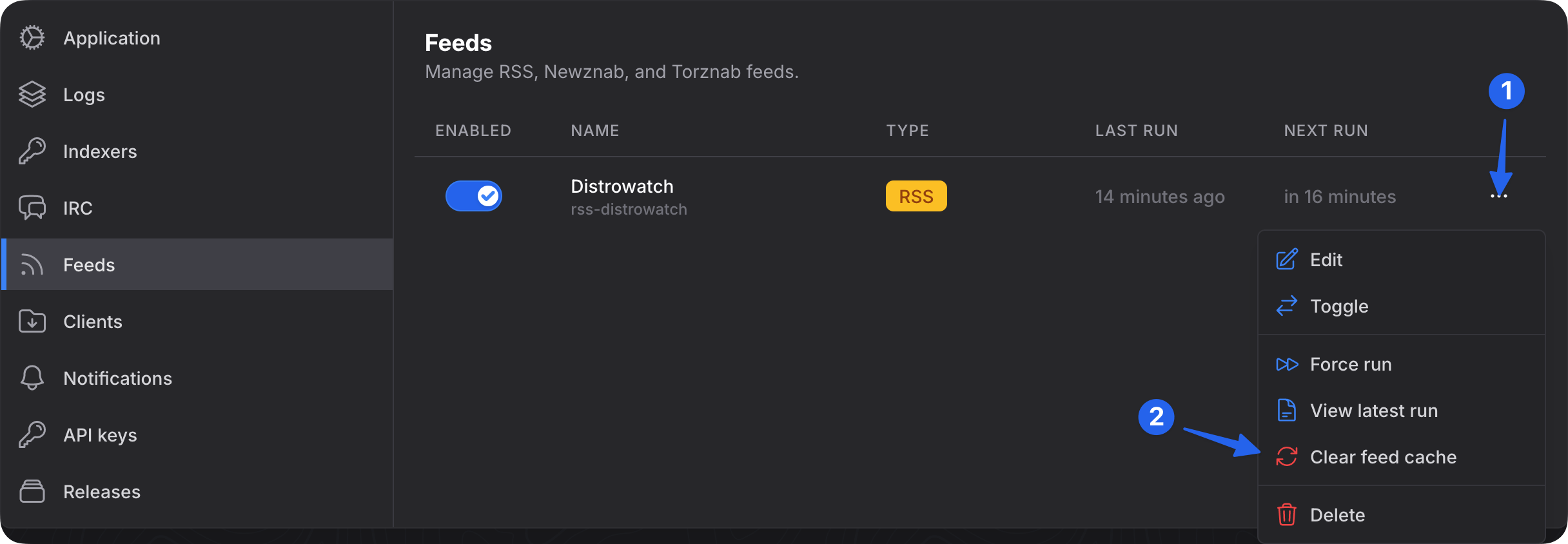
Cached entries have a one month lifetime, and a daily maintenance job automatically removes long-expired and orphaned entries.
Force run feed
The Force run feed option allows you to manually trigger a feed refresh, providing you with the most up-to-date data outside the regular feed schedule.
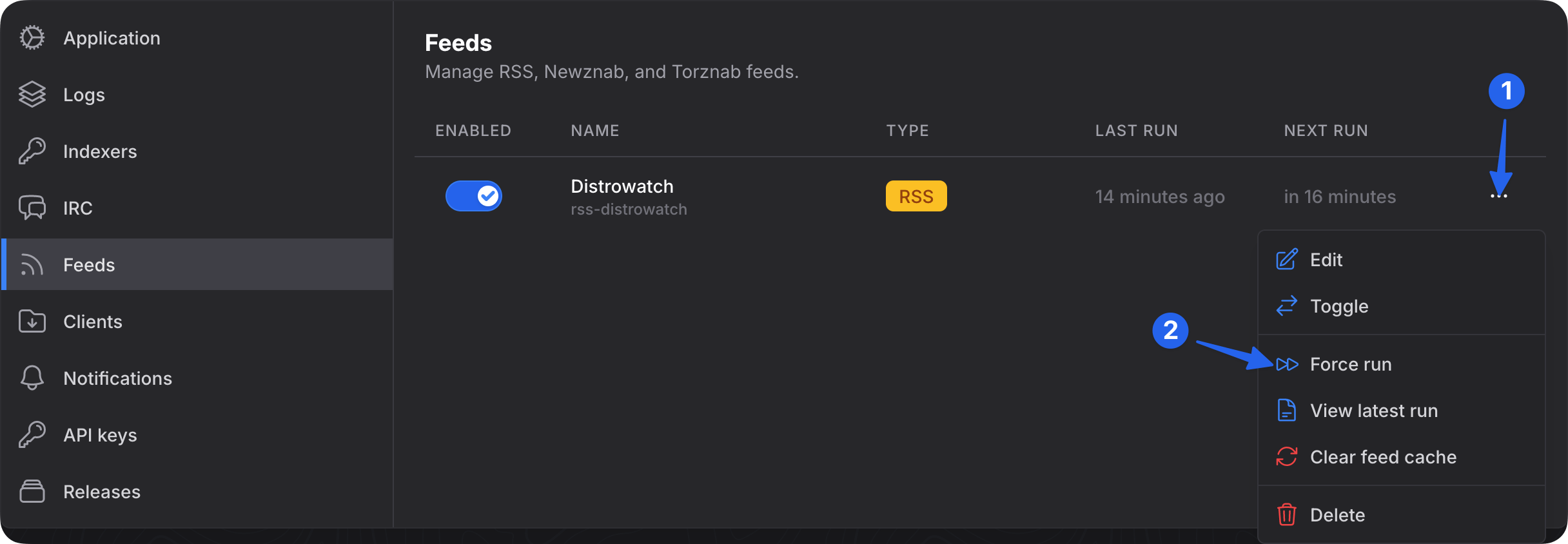
Be careful when using this feature and ensure that you adhere to the refresh interval rules defined by the indexers.